
Is Your Alienware Overheating? The Importance of Professional Dust Cleaning
Gaming laptops like the Alienware series are engineering marvels, but they are also “dust magnets.” If your fans are loud, your keyboard feels hot, or your FPS is dropping during intense sessions, your cooling system is likely struggling.
The Real-World Issue: Clogged Intakes
In the photo Alienware Fan Cleaning.jpg, you can see the internal state of a high-performance system before our deep-cleaning process. Despite their power, these fans have very fine blades that easily trap:
-
- Pet hair and lint that act as a net.
-
- Micro-dust buildup that coats the fan blades, increasing weight and reducing RPM.
-
- Thermal throttling triggers because the air cannot flow freely through the heatsink fins.
Why Choose Professional Cleaning Over Compressed Air?
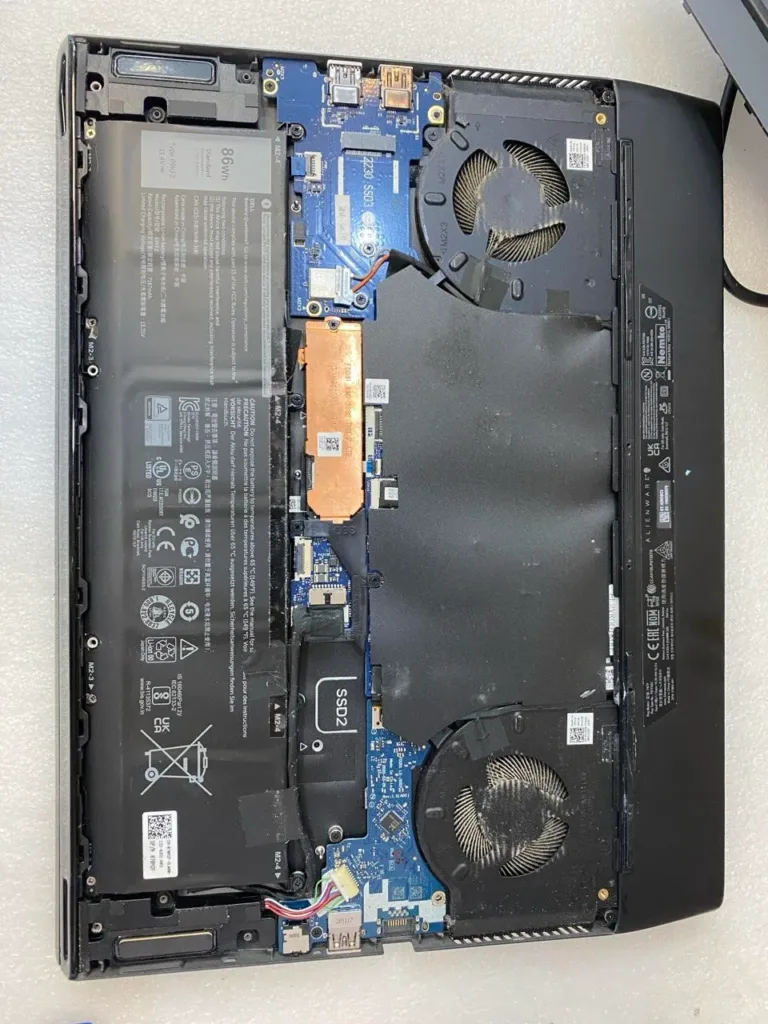
Many users try to fix this by blowing compressed air into the vents. However, without opening the chassis as shown in Alienware Fan Cleaning.jpg, this often just pushes the dust “clumps” deeper into the heatsink, creating a permanent blockage.
At MT Systems, our Alienware maintenance includes:
-
- Complete Teardown: Safely opening the chassis to access the cooling assembly.
-
- Manual Fan Detailing: Removing the impacted dust from each individual blade.
-
- Heatsink Clearing: Ensuring the copper fins are 100% clear of debris.
-
- Optional Thermal Paste Re-pasting: We can apply high-performance thermal compound to further drop temperatures.
Expert Laptop Maintenance in Thornhill
Keep your gaming rig running at peak performance. We specialize in Alienware Repair and Laptop Cleaning Services for all high-end brands.
Visit Our Shop
MT Systems 7378 Yonge St. Unit 3B Thornhill, Ontario L4J 8J1 (Located at Yonge & Clark)
Contact us for a quote: www.mtsystems.ca/contact/